
Why “AI-Driven Personalization & Automation” Is Trending

Why “AI-Driven Personalization & Automation” Is Trending

Trending Marketing Topics (with Data) for Google + Facebook Marketers in 2025

Here are some of the biggest, evidence-based trends shaping digital marketing right now — backed by recent reports and industry data.

1. AI-Powered Personalization & Predictive Analytics

  • According to Adobe’s 2025 Digital Trends Report, 65% of senior execs say AI + predictive analytics will be a core driver of growth.

  • Generative AI in digital marketing is projected to grow massively — one market report estimates it will go from $2.48B in 2024 to $35.12B by 2034.

  • Many companies (per the IntelligenceBank Content Marketing Trends Report) are using AI for content ideation, real-time personalization, and workflow automation.

Why it matters:

  • On Google, AI + predictive analytics helps you serve more relevant search ads and content.

  • On Facebook / Meta, AI helps optimize ad creative, audience targeting, and dynamic personalization in real time.

How to use it:

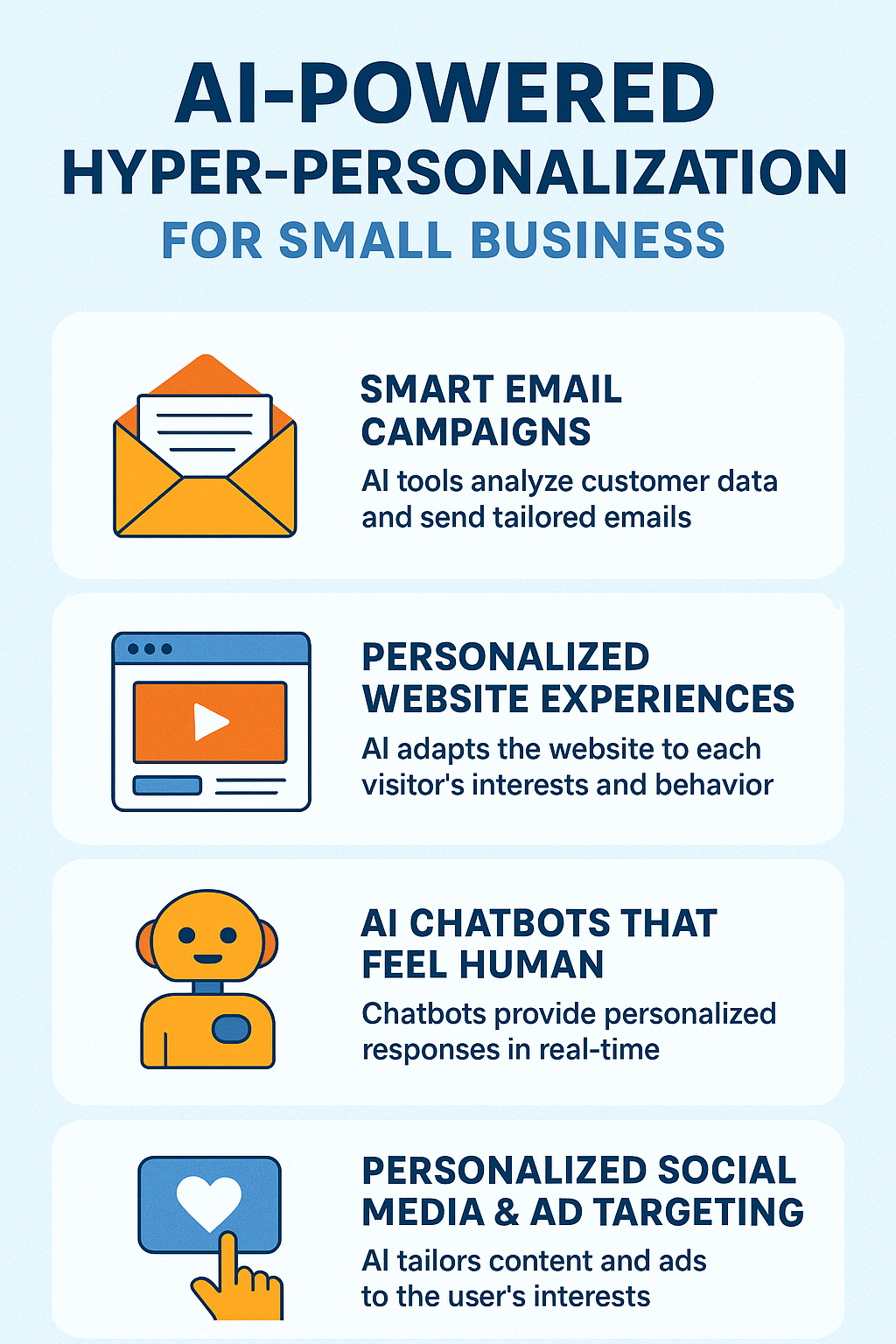
  • Use AI tools for personalized content (emails, landing pages, ads)

  • Leverage predictive analytics to forecast customer behavior and tailor campaigns

  • Test generative AI for ad creative + copy, but always A/B test

2. Search Experience Optimization (SXO) / Generative Engine Optimization (GEO)

  • According to several sources, Google’s AI-powered “overviews” are reshaping how people interact with search results.

  • Semrush’s 2025 trends highlight that AI is shifting SEO from pure keyword focus to contextual experience and intent.

  • There’s also growing talk of “Generative Engine Optimization” (GEO) — optimizing content so it’s more likely to be used / cited by AI-powered search/chat systems.

Why it matters:

  • With Google, more searches could be answered directly by AI or “search summary” features.

  • On Meta, SEO-style content that is optimized for AI (GEO) can help attract more organic and referral traffic.

How to use it:

  • Structure content for featured snippets, FAQ, and AI citation (clear, authoritative)

  • Create content designed to answer user intent, not just target keywords

  • Use schema, structured data, and other SEO best practices to help AI systems understand your content

3. First-Party Data & Privacy-First Marketing

  • According to a Q1 2025 industry update, 82% of marketers are prioritizing first-party data collection.

  • With the decline of third-party cookies and stricter privacy rules, first-party data (customer data collected directly) has become more valuable.

  • AI + predictive analytics, when combined with first-party data, can deliver hyper-personalized experiences.

Why it matters:

  • On Google Ads, you can use first-party data to build more accurate audiences, retarget, and optimize.

  • On Facebook, first-party data (like email lists, CRM data) can feed into custom audiences, lookalikes, and (with AI) more precise ad targeting.

How to use it:

  • Build and enrich your first-party data: email lists, CRM, website interactions

  • Use that data to create tailored ad audiences

  • Leverage privacy-first strategies (transparency, consent, data ethics) in your marketing

4. Voice, Image & Multimodal Search

  • Voice search continues to matter: as more people use voice assistants, brands need to optimize for conversational queries.

  • Search is becoming more multimodal: text + image + voice queries are all important.

  • B2B e-commerce trends report (Algolia) also suggest that AI-powered site search and discovery (leveraging multimodal inputs) is a big focus.

Why it matters:

  • On Google, optimizing for voice and visual search can help your content surface in new ways

  • On Facebook / Instagram, multimodal content (images, video, interactive formats) resonates more — especially when paired with AI-driven personalization

How to use it:

  • Create content using conversational, question-based keywords

  • Optimize pages for visual search (alt text, structured data)

  • Use short-form, interactive, and visual content in your ads and organic social strategy

5. AI Ethics, Explainability & Responsible Use

  • As marketers use more AI, there’s growing scrutiny around transparency and ethics: how AI decisions are made, how data is used, and how content is generated. This is showing up in many “AI in marketing” trend reports.

  • According to HumansWith.ai, the cost-saving benefits of AI are huge but marketers are also focusing on brand trust, authenticity, and governance.

Why it matters:

  • On Google, how you use AI in content and ads can influence brand reputation + compliance.

  • On Facebook, users are sensitive to inauthentic or overly automated content — balancing AI automation with real human touch will be key.

How to use it:

  • Be transparent when using AI-generated content (e.g., disclose in content if appropriate)

  • Use AI tools that provide “explainable” outputs when possible

  • Combine AI efficiency with human storytelling and oversight

Visualizing the Trend Growth (Hypothetical / Data-Backed)

Here’s a simple projected trend growth model (based on industry reports and forecasts):

Trend Estimated 2025 Impact Growth Signal
AI Personalization & Predictive Analytics High – major budget shift Adobe report: 65% execs prioritizing Adobe Business
Generative / GEO Search Optimization Very high – new SEO paradigm Semrush + academic research Semrush
First-Party Data & Privacy-First Marketing Medium–High Industry sources showing widespread prioritization Kreativa Inc
Voice / Multimodal Search Medium Multiple sources call it “next search frontier” LinkedIn
AI Ethics & Responsible Use Growing concern + priority Experts emphasizing AI governance HumansWithAI

Why These Trends Matter for Facebook + Google Marketers

  • Budget Efficiency: AI + predictive analytics help you get more ROI from ad spend on both Google and Meta.

  • Audience Targeting: First-party data + AI = smarter lookalikes, better retargeting.

  • Content Strategy: GEO / AI-optimized content helps you rank for conversational / AI-driven search.

  • User Experience: More personalized interactions build loyalty and trust.

  • Brand Trust: Using AI responsibly builds credibility with your audience.

How to Add an Email Address to Contacts AND Whitelist It on Every Major Email Platform (Complete Guide)

How to Add an Email Address to Contacts AND Whitelist It on Every Major Email Platform (Complete Guide)

Below are step-by-step instructions for Gmail, Outlook, Apple Mail, Yahoo, AOL, Thunderbird, and business platforms like Microsoft 365 and Google Workspace.

Universal Method (Works Everywhere)

If you’re unsure which email platform someone uses, share this simple two-step universal method:

Step 1: Add the email address to Contacts

Every major email provider uses your Contacts list as a trust signal.

Step 2: Mark any misplaced email as “Not Spam”

This immediately retrains the spam filter.

Together, these two actions reliably whitelist a sender across all platforms.

1. Gmail

Add to Contacts in Gmail

  1. Open an email from the sender.
  2. Hover your mouse over the sender’s name.
  3. Select “Add to Contacts.”

Whitelist an Email in Gmail

  1. Open the email.
  2. Click the three dots in the top-right corner.
  3. Select “Filter messages like this.”
  4. Click Create filter.
  5. Check “Never send it to spam.”
  6. Click Create filter again.

2. Outlook (Web, Desktop, and Office 365)

Add to Contacts

  1. Open the email.
  2. Right-click the sender’s name.
  3. Choose Add to Contacts.

Whitelist / Safe Senders List in Outlook

  1. Go to Settings > View all Outlook settings.
  2. Select Mail > Junk email.
  3. Add the email under Safe senders and domains.
  4. Click Save.

3. Apple Mail (Mac, iPhone, iPad)

Add to Contacts on Mac

  1. Open the email.
  2. Hover over the sender’s name.
  3. Click Add to Contacts.

Add to Contacts on iPhone/iPad

  1. Open the email.
  2. Tap the sender’s name.
  3. Choose Create New Contact or Add to Existing Contact.

Whitelist in Apple Mail

Apple Mail uses your Contacts list to determine trusted senders.
Once an email is added to Contacts, it is essentially whitelisted.

To reinforce inbox placement:

  1. Move any message from Junk back to Inbox
  2. Tap or click “Not Junk”

    4. Yahoo Mail

    Add to Contacts

    1. Open an email.
    2. Hover over the sender.
    3. Click Add to Contacts.

    Whitelist in Yahoo Mail

    1. Open Settings > More Settings.
    2. Select Filters.
    3. Click Add new filters.
    4. Set “From contains” with the email address.
    5. Choose Inbox as the folder.
    6. Save.

    5. AOL Mail

    Add to Contacts

    1. Open the email.
    2. Click the sender’s name.
    3. Select Add Contact.

    Whitelist in AOL

    1. Open Settings.
    2. Go to Mail Settings > Spam Controls.
    3. Add the email to Allowed Senders.

    6. Mozilla Thunderbird

    Add to Address Book

    1. Open the email.
    2. Right-click the sender’s address.
    3. Choose Add to Address Book.

    Whitelist in Thunderbird

    1. Go to Tools > Message Filters.
    2. Create a new filter:
      – Condition: “From” contains [email address]
      – Action: Move to Inbox
      – Save the filter.

    Whitelisting on Business Email Platforms

    7. Microsoft 365 (Admin-Level Whitelisting)

    For domain-wide whitelisting:

    1. Open Microsoft 365 Defender Portal.
    2. Go to Policies & Rules > Threat Policies.
    3. Select Anti-Spam Policies.
    4. Under Allowed senders, add the email or domain.
    5. Save.

    8. Google Workspace Admin (Gmail for Business)

    1. Go to Admin Console > Apps > Google Workspace > Gmail.
    2. Open Spam, Phishing, and Malware settings.
    3. Add the email to Allowed senders.
    4. Save the changes.

    Final Tips to Prevent Important Emails From Going to Spam

    1. Check your spam/junk folder weekly
    2. Add both the email address and the sending domain
    3. Do not repeatedly delete messages from the sender
    4. Star/flag important emails to reinforce trust
    5. Add the sender to safe lists on both desktop and mobile apps

      Conclusion

      Whitelisting an email is one of the easiest ways to make sure important messages land in your inbox—every time. Whether you’re a business owner, marketer, or simply someone who doesn’t want to miss essential communication, taking a moment to add and whitelist a sender can save you headaches in the future.